
Pillar
AWS vs Azure vs GCP: Where Are You Overpaying in 2026?
AWS vs Azure vs GCP - where are you really overpaying in 2026? Compare compute, storage, egress, and hidden fees to stop the bleed on your cloud bill.
Feb 25, 2026·12 min read



Your cloud bill is lying to you. Here's how to fight back.
Let's be brutally honest for a second. You signed up for the cloud because it promised agility, scale, and efficiency. And it delivered - kind of. But somewhere between auto-scaling groups and multi-region deployments, your monthly invoice started looking less like a utility bill and more like a ransom note.
Here's the number that should keep every CTO up at night: organizations wasted an estimated $189–225 billion on cloud infrastructure in 2025 alone - roughly 32% of total global cloud spend. That's not a rounding error. That's a civilization-scale bonfire of engineering budget.
The good news? A big chunk of that waste is optional. And the fix often starts with one deceptively simple question: Are you using the right pricing model?
Today, we're going deep on the three AWS pricing models that actually move the needle - Spot Instances, Reserved Instances, and Savings Plans - and help you figure out which one (or which combination) is right for your workloads in 2026.
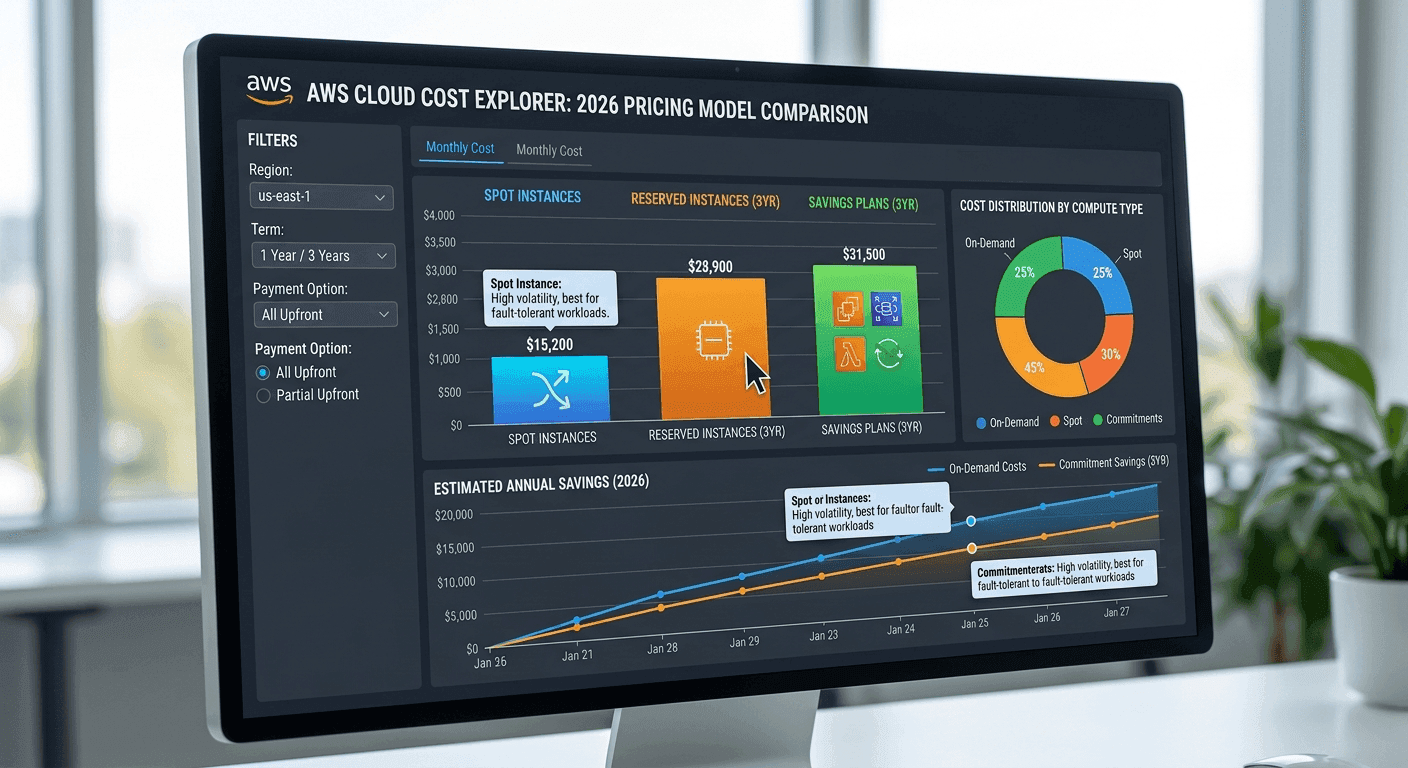
Before we dive into the models, let's zoom out for a second. Cloud spending hit $723 billion in 2025, but 84% of companies still struggle to manage those costs effectively. And with AI workloads pushing GPU expenses 5–10x higher than standard compute, the problem isn't going away on its own.
What is cloud cost optimization, exactly? It's the process of reducing cloud spend while maintaining performance - by eliminating waste, choosing the right pricing models, and automating resource scaling. Simple in theory. Devilishly hard in practice.
The most common strategies - right-sizing, auto-scaling, reserved/spot instances, cost allocation tags, and idle resource cleanup - all matter. But the pricing model you choose is the foundation everything else is built on. Get that wrong, and no amount of tagging or dashboarding will save you.
Think of AWS pricing like booking a flight. You've got three choices:
Let's break each one down.
Reserved Instances (RIs) are AWS's original commitment-based discount. You agree to use a specific EC2 configuration for 1 or 3 years, and AWS gives you a discount of up to 72–75% off On-Demand pricing.
There are two main types you need to know:
When are RIs your best bet? Stable, predictable workloads. Think production databases, steady-state API servers, and anything that runs 24/7 with consistent resource requirements. If you know you'll be running r6i.4xlarge instances in us-east-1 for the next two years, Standard RIs are a no-brainer.
The catch? If your architecture shifts - new instance families, a region migration, a serverless refactor - you could be stuck paying for capacity you no longer use. Volume discounts of 5–10% are also available for large-scale RI purchases above $500K.
Savings Plans are AWS's evolution of the RI concept, launched to fix the "what if my architecture changes?" problem. Instead of committing to a specific instance configuration, you commit to a minimum hourly spend (e.g., $10/hour) for 1 or 3 years.
There are two flavors:
| Plan Type | Max Discount | Flexibility |
|---|---|---|
| EC2 Instance Savings Plans | Up to 72% | Locked to instance family + region, flexible on size/OS |
| Compute Savings Plans | Up to 66% | Applies to EC2, Fargate, Lambda - any family, size, region, OS |
Compute Savings Plans are, frankly, magic for most modern teams. They automatically apply to whatever eligible usage you accrue - spin up a Lambda function, deploy a Fargate task, migrate an EC2 to Graviton - and the discount follows you.
The tradeoff: Savings Plans don't include capacity reservation (Standard RIs do), and there's no secondary marketplace if you overcommit. So be conservative with your commitment amount. Undercommitting and paying On-Demand for the overflow is always better than overcommitting and burning budget on unused hourly spend.
Here's where it gets spicy. Spot Instances give you access to unused AWS capacity at discounts of up to 90% off On-Demand pricing. That's not a typo. Ninety percent.
The mechanism: AWS has spare EC2 capacity sitting idle. Rather than waste it, they offer it at a steep discount. But - and this is crucial - AWS can reclaim that capacity with a two-minute warning when a paying On-Demand customer needs it.
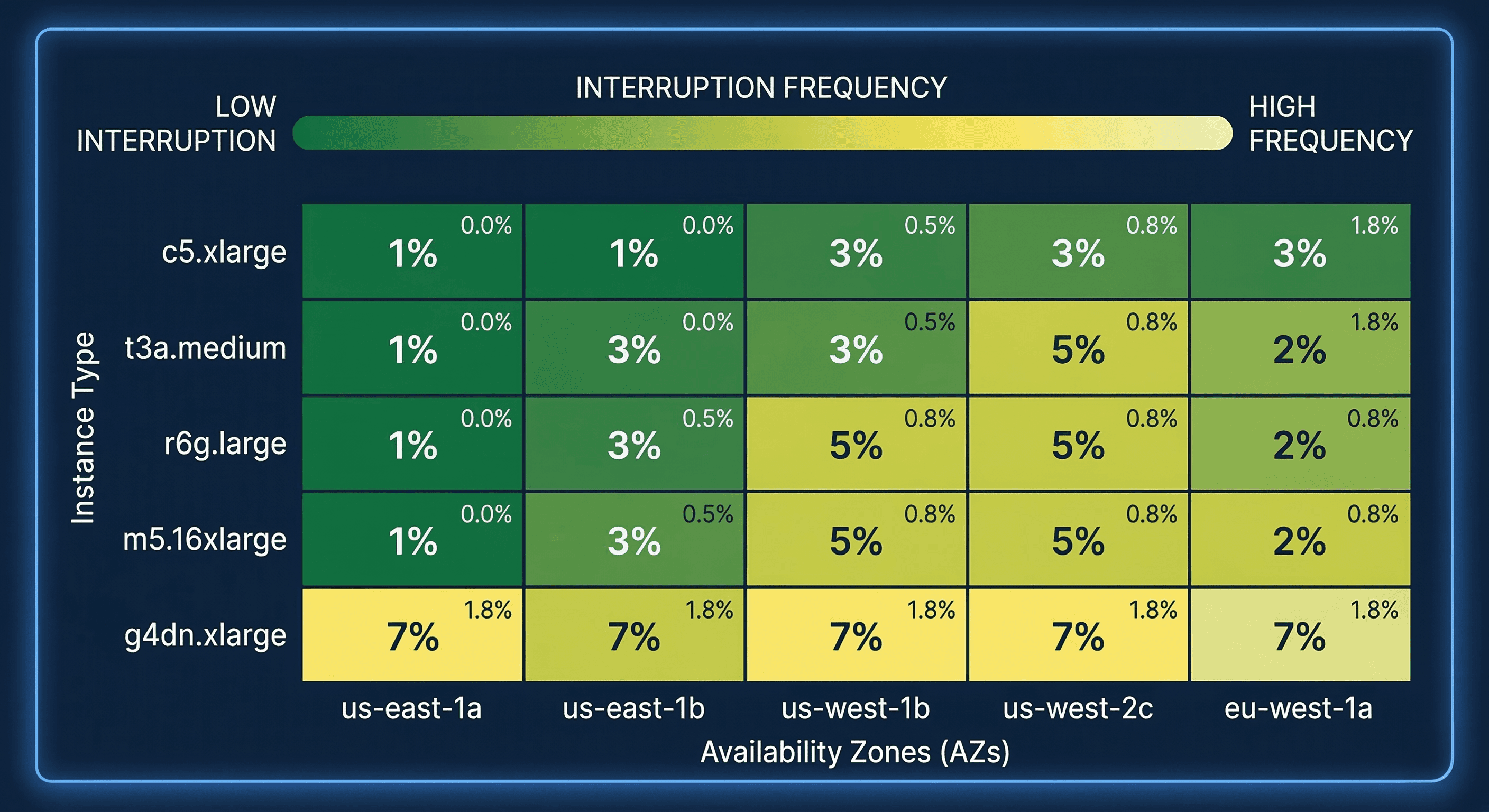
The good news? Interruption rates are lower than most people fear. Less than 5% of Spot Instances are interrupted before customers terminate them intentionally. Most instance types in the AWS Spot Instance Advisor show interruption frequencies well below 10%.
Spot Instances are perfect for:
They are emphatically NOT suitable for:
The best practice? Use the capacity-optimized Spot allocation strategy in your Auto Scaling groups, and implement checkpointing so your workloads can resume from where they left off after an interruption.
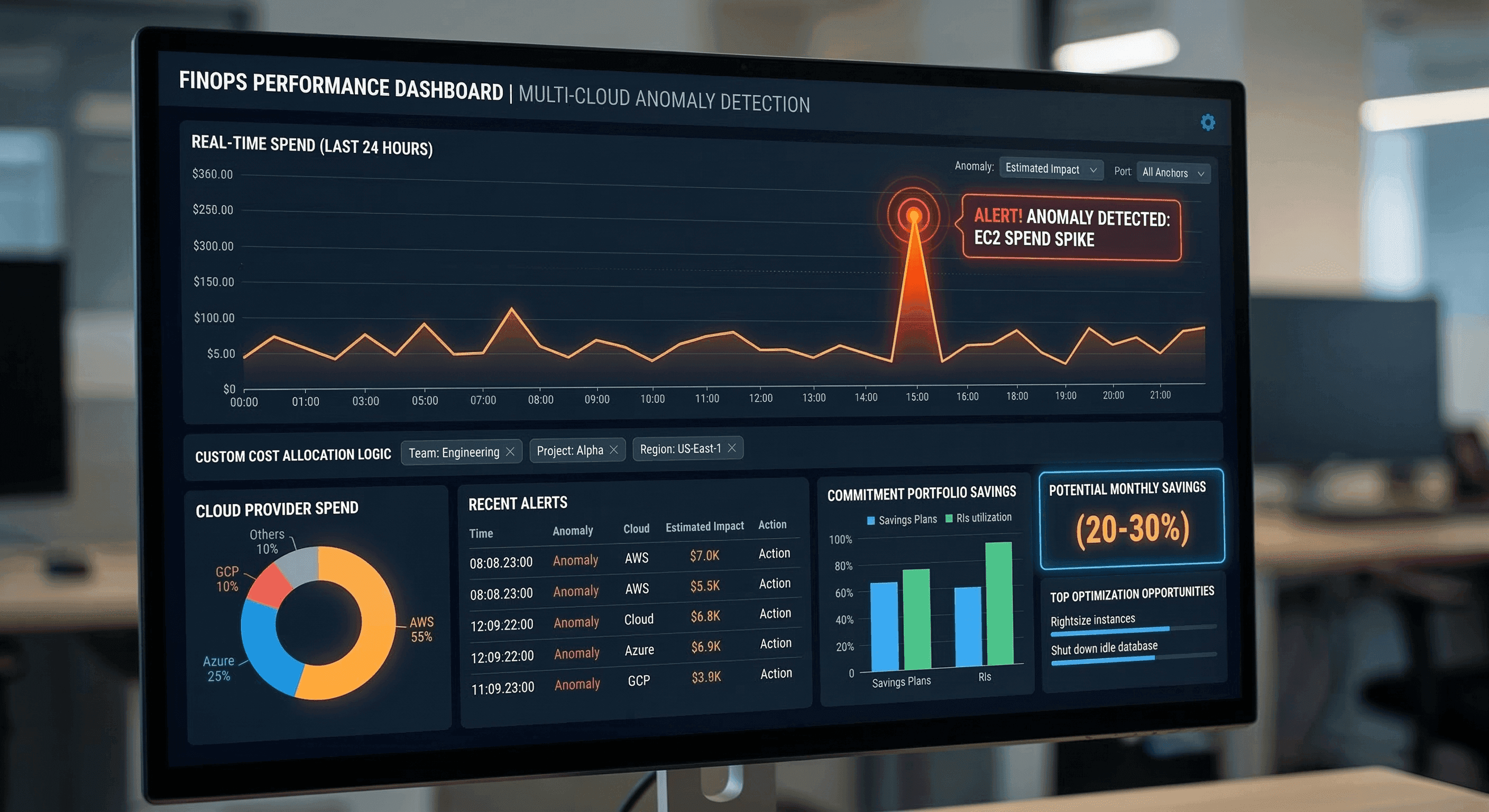
Let's make this tangible. Say you're running an m5.xlarge instance (4 vCPU, 16 GB RAM) in us-east-1. Here's what the pricing landscape looks like:
| Pricing Model | Monthly Estimate | Savings vs. On-Demand |
|---|---|---|
| On-Demand | ~$140 | Baseline |
| 1-Year Standard RI (No Upfront) | ~$88 | ~37% |
| 1-Year Standard RI (Full Upfront) | ~$79 | ~44% |
| 3-Year Standard RI (Full Upfront) | ~$52 | ~63% |
| EC2 Instance Savings Plan (1-Year) | ~$87 | ~38% |
| Compute Savings Plan (1-Year) | ~$95 | ~32% |
| Spot Instance | ~$14–$28 | 70–90% |
The pattern is clear. Spot wins on raw savings. But "up to 90% off" only matters if your workload can tolerate interruptions. For baseline, always-on infrastructure, a mix of Compute Savings Plans (for flexibility) and Standard RIs (for the highest-discounted stable workloads) typically delivers the best risk-adjusted outcome.
Here's the secret that most cost guides bury in footnotes: the real answer is a blended strategy.
Picture it like this:
[Baseline Load]         → Cover with Savings Plans or Standard RIs
[Predictable Peak Load] → Cover with Convertible RIs or additional Savings Plans
[Variable/Burst Load]   → Auto-scale with Spot Instances
[Unpredictable Spikes]  → Let On-Demand handle the overflow
In practice, for a typical production environment, this means checking your current Savings Plans coverage. If that number is below 70% for your steady-state compute, you're almost certainly leaving money on the table.
# Example: boto3 snippet to check your current Savings Plans coverage
import boto3
ce = boto3.client('ce', region_name='us-east-1')
response = ce.get_savings_plans_coverage(
    TimePeriod={
        'Start': '2026-02-01',
        'End': '2026-03-01'
    },
    Granularity='MONTHLY',
    Metrics=['CoverageHours']
)
for result in response['SavingsPlansCoverages']:
    coverage = result['Coverage']['CoverageHours']['CoverageHoursPercentage']
    print(f"Savings Plans Coverage: {coverage}%")
And for Spot workloads, here's a minimal Auto Scaling group configuration using mixed instances policy in Terraform. Notice the multiple override blocks - diversifying across instance families is the single most impactful Spot best practice, dramatically reducing your interruption risk by not depending on capacity in a single pool.
resource "aws_autoscaling_group" "mixed_fleet" {
  name                = "mixed-spot-ondemand-asg"
  max_size            = 20
  min_size            = 2
  desired_capacity    = 5
  vpc_zone_identifier = var.subnet_ids
  mixed_instances_policy {
    instances_distribution {
      on_demand_base_capacity                  = 2
      on_demand_percentage_above_base_capacity = 0
      spot_allocation_strategy                 = "capacity-optimized"
    }
    launch_template {
      launch_template_specification {
        launch_template_id = aws_launch_template.app.id
        version            = "$Latest"
      }
      override {
        instance_type = "m5.xlarge"
      }
      override {
        instance_type = "m5a.xlarge"  # Diversify instance types!
      }
      override {
        instance_type = "m6i.xlarge"
      }
    }
  }
}Before you buy a single RI or commit to a single Savings Plan, do your right-sizing homework. Right-sizing means adjusting resource sizes - compute, storage, memory - to match actual usage patterns. Over-provisioned instances are silent budget killers.
A 32-vCPU instance running at 8% CPU average is not a "performance safety net." It's a waste that now gets compounded by whatever discount tier you commit to.
Use AWS Compute Optimizer and AWS Cost Explorer's right-sizing recommendations before making any commitment purchases. The data will likely surprise you - and the savings from right-sizing alone often rival the discounts from commitment models.
Even the best pricing strategy falls apart without organizational buy-in. That's where FinOps comes in - the cultural and operational framework that brings engineering, finance, and business together to manage cloud spend efficiently.
The FinOps Maturity Model maps your journey across three phases:
Most companies are stuck in Crawl and think they're in Walk. The tell? They're buying Reserved Instances based on gut feel instead of utilization data.
A quick note on showback vs. chargeback: showback makes your engineering teams aware of what they're spending; chargeback actually bills them internally for it. Both drive accountability. Chargeback drives it faster.
Native tools like AWS Cost Explorer are fine for basics - visualizing spend trends, getting right-sizing recommendations, and buying Savings Plans. But if you're running multi-cloud (AWS + Azure + GCP), need custom cost allocation logic, or want automated anomaly detection, you'll likely outgrow native tooling quickly.
Platforms like CloudZero, Vantage, Finout, and CAST AI offer AI-based anomaly detection that alerts you in real time when spend deviates from expected patterns - before the invoice arrives. Modern tools can auto-shut down idle resources, auto-rightsize instances, and autonomously manage commitment portfolios, typically delivering 20–30%+ additional savings on top of your pricing model choices.
Not sure where to start? Use this:
| Workload Type | Best Pricing Model |
|---|---|
| Production databases, always-on APIs | Standard Reserved Instances or EC2 Instance Savings Plan |
| Microservices evolving across instance families | Compute Savings Plans |
| Batch processing, ML training, CI/CD | Spot Instances (with diversification) |
| Mixed production + burst workloads | Savings Plans baseline + Spot for burst |
| Short-lived experimental workloads | On-Demand (no commitment needed) |
Cloud pricing is not a set-and-forget decision. It's a living, breathing strategy that needs to evolve as your architecture does. Spot Instances win on raw savings (up to 90%) but demand fault-tolerant architecture. Savings Plans win on flexibility and are the default recommendation for most steady-state compute. Reserved Instances still hold value for the most stable, highest-volume workloads where maximum discount trumps everything else.
The organizations that are actually winning at cloud cost optimization in 2026 aren't picking one model - they're layering all three, right-sizing first, enforcing cost governance through IaC tools like Terraform with Infracost integrations, and building a FinOps culture that treats cloud spend as an engineering discipline, not just a finance problem.
Your cloud bill is telling you a story. The question is whether you're paying attention to the right chapters.
Ready to stop guessing and start optimizing? Start with your Savings Plans coverage report in AWS Cost Explorer - right now, today. If you're below 70% coverage on steady-state compute, that's your first win waiting to happen. And if you want to go deeper, audit your largest EC2 instances for right-sizing opportunities before committing to any pricing model. Fix the foundation first.
What's your current Savings Plans coverage rate? Drop a comment - I'd love to hear where teams are starting from in 2026.
What is cloud cost optimization?
The process of reducing cloud spend while maintaining performance - by eliminating waste, choosing the right pricing models, and automating resource scaling.
What are Reserved Instances vs. Spot Instances?
Reserved Instances offer up to 72–75% discounts for predictable workloads via long-term commitments; Spot Instances offer up to 90% savings for fault-tolerant or flexible workloads that can handle interruption.
What is the FinOps maturity model?
A three-phase framework (Crawl → Walk → Run) that guides organizations from basic cost visibility to full automation and continuous cloud cost optimization.
Can cloud cost tools actually save money automatically?
Yes - modern platforms can auto-shut down idle resources, auto-rightsize instances, and manage commitment portfolios, typically delivering 20–30%+ savings.
How do I optimize Kubernetes cloud costs?
By using tools like Kubecost to track cost per namespace/pod, right-sizing resource requests, and consolidating underutilized nodes.
AWS vs Azure vs GCP - where are you really overpaying in 2026? Compare compute, storage, egress, and hidden fees to stop the bleed on your cloud bill.

Discover cloud cost optimization principles and a practical DevOps playbook - cut AWS, Azure & GCP waste by 30-70% using FinOps, right-sizing, IaC, and automation.

Stop bleeding money on AWS. This complete 2026 guide covers right-sizing, Spot Instances, FinOps, Kubernetes cost optimization, and the tools CTOs actually use.
Get a free 30-minute cloud cost consultation!
Warsaw, Poland




© Copyright 2026 TotalOps
Privacy Policy