
Pillar
How to Cut AWS Costs: The Complete 2026 Guide
Stop bleeding money on AWS. This complete 2026 guide covers right-sizing, Spot Instances, FinOps, Kubernetes cost optimization, and the tools CTOs actually use.
Jan 28, 2026·15 min read




Your no-BS guide to stopping the bleed and building a culture where every dollar works as hard as your engineers do.
Let me be direct with you for a second.
You're probably reading this because your cloud bill keeps growing - and somehow, despite all the engineers, all the automation, and all the dashboards, it still feels like money is disappearing into a black hole. You're not alone. In 2026, companies globally are wasting an estimated $189 billion on cloud infrastructure - a staggering 32% of total cloud spend. And over 90% of IT leaders admit they can't manage their cloud spending effectively.
That's not a tools problem. That's a culture and discipline problem.
The good news? It's fixable. And you don't need to rip apart your infrastructure to fix it. You need a playbook - one that aligns your DevOps team, your engineers, and yes, your CFO, around the same goal: spending smarter in the cloud.
Let's start simple. Cloud cost optimization is the ongoing process of reducing your cloud spend while maintaining - or improving - performance. It means eliminating idle resources, choosing the right pricing models, and making automation do the heavy lifting so your team isn't manually firefighting wasteful spend.
Why should a CTO or engineering lead care about this in 2026? Because cloud costs are now the #2 expense for midsize IT companies, right behind labor. And unlike headcount, cloud costs can spiral silently. A forgotten GPU instance here. A misconfigured autoscaler there. Cross-region data transfer fees you didn't even know existed. One real SaaS company discovered their $287,000 monthly cloud bill included $68,000 in forgotten GPU instances, $41,000 from a misconfigured autoscaler, and $34,000 in cross-region transfer fees. After optimization? $82,000/month - a 71% reduction in four months.
That's not magic. That's methodology.
Before we get tactical, let's align on the core principles that every mature cloud cost strategy is built on:
| Pillar | What It Means | Impact |
|---|---|---|
| Visibility | Know what you're spending, and why | Foundational - you can't optimize what you can't see |
| Right-Sizing | Match resource size to actual usage | 20–40% savings on compute alone |
| Pricing Strategy | Use the right commitment model per workload | Up to 72–90% off on reserved/spot |
| Automation | Let tools and policies enforce cost discipline | Removes human error and lag |
| Accountability | Tie spend to teams, products, and business value | Drives ownership across engineering |
These five pillars aren't sequential - they're simultaneous. The best DevOps teams run all five in parallel, and that's exactly what this playbook helps you do.
Here's the uncomfortable truth: 54% of cloud waste stems from a lack of cost visibility. Teams are building, deploying, and scaling - but nobody's watching the bill in real time.
The fix starts with a solid cloud cost tagging strategy. Every resource - EC2 instance, S3 bucket, Lambda function - should carry tags for team/owner, environment (prod, staging, dev), project/product, and cost center. Without tags, cost allocation is guesswork. With tags, you get granular visibility and can start building a cloud cost dashboard that actually tells a story.
# Terraform example: Enforcing cost tags at provisioning
resource "aws_instance" "app_server" {
  ami           = "ami-0c55b159cbfafe1f0"
  instance_type = "t3.medium"
  tags = {
    Name        = "app-server-prod"
    Team        = "platform-engineering"
    Environment = "production"
    Project     = "checkout-service"
    CostCenter  = "eng-platform-001"
  }
}
This small habit - enforced via Terraform and CI/CD policy checks - eliminates the "mystery spend" that haunts so many engineering orgs.
Chargeback vs. Showback: Once you have visibility, you need to decide how to share that data with teams. Showback makes teams aware of their spend. Chargeback actually bills them internally. Most organizations start with showback (less friction), then graduate to chargeback as cost culture matures. Either way, both drive the accountability that changes engineering behavior.
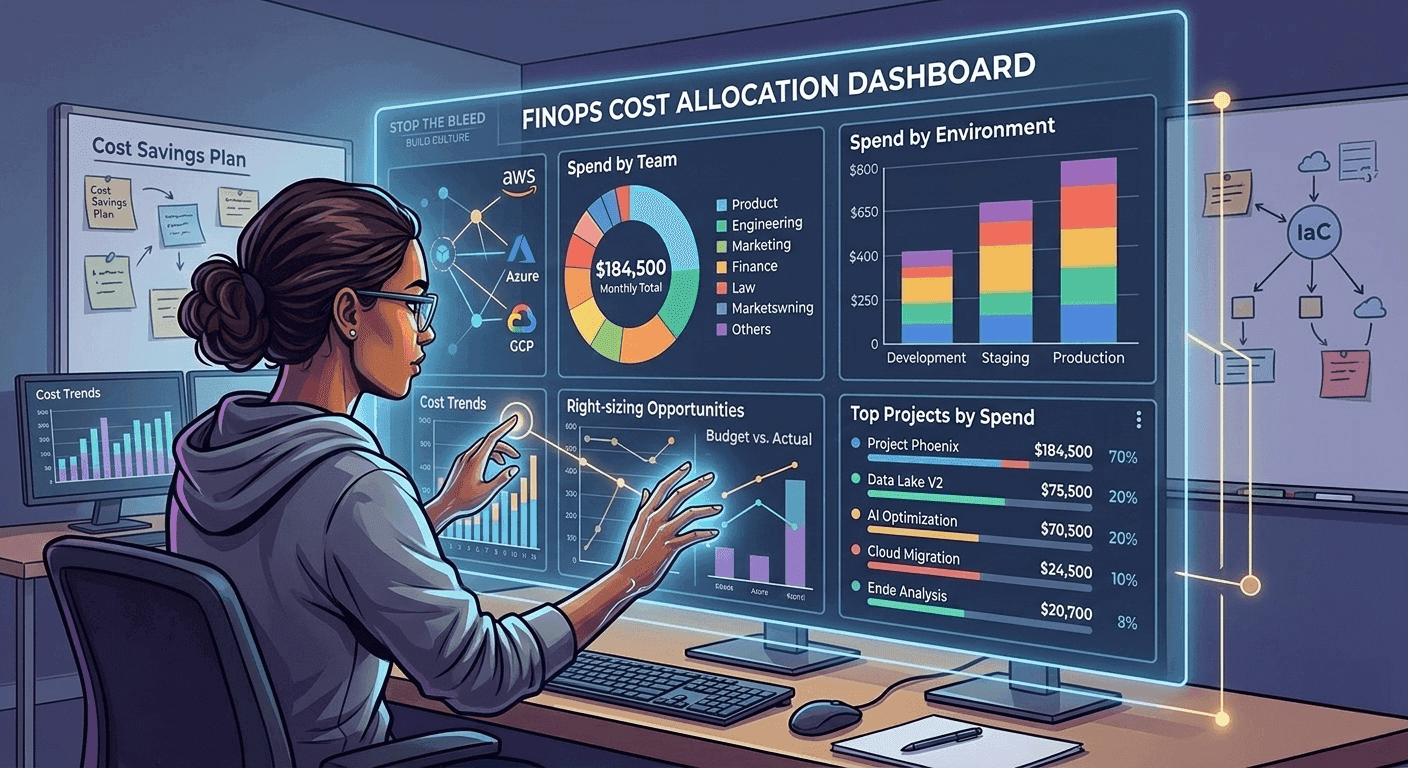
Ask yourself: when was the last time your team actually checked whether your instances are the right size?
Right-sizing means adjusting compute, storage, and memory to match actual usage - not what an engineer guessed three years ago when they provisioned that r5.4xlarge. The average cloud instance runs at just 20–30% CPU utilization because teams over-provision "just to be safe."
For Kubernetes cost optimization, the same logic applies at the pod level. Tools like Kubecost and Sedai track cost per namespace, pod, and deployment - and can automatically right-size resource requests and limits. Sedai reports a consistent 30% cost reduction from continuous pod-level rightsizing alone.
# Kubernetes: Before right-sizing (over-provisioned)
resources:
  requests:
    memory: "2Gi"
    cpu: "1000m"
  limits:
    memory: "4Gi"
    cpu: "2000m"
# --- After right-sizing based on actual p95 usage ---
resources:
  requests:
    memory: "512Mi"
    cpu: "250m"
  limits:
    memory: "1Gi"
    cpu: "500m"
Small changes. Big bills.
One of the highest-leverage levers you have is how you buy cloud resources. Here's a clean breakdown:
| Model | Discount vs. On-Demand | Best For | Risk |
|---|---|---|---|
| On-Demand | 0% | Unpredictable / new workloads | Expensive at scale |
| Reserved Instances (1yr) | ~40% | Stable, predictable workloads | Locked in |
| Reserved Instances (3yr) | ~72% | Long-running core services | Harder to change |
| AWS Savings Plans | ~66% | Flexible compute across EC2, Lambda, Fargate | Less rigid than RIs |
| Spot Instances | ~60–90% | Batch jobs, CI/CD runners, fault-tolerant workloads | Can be interrupted |
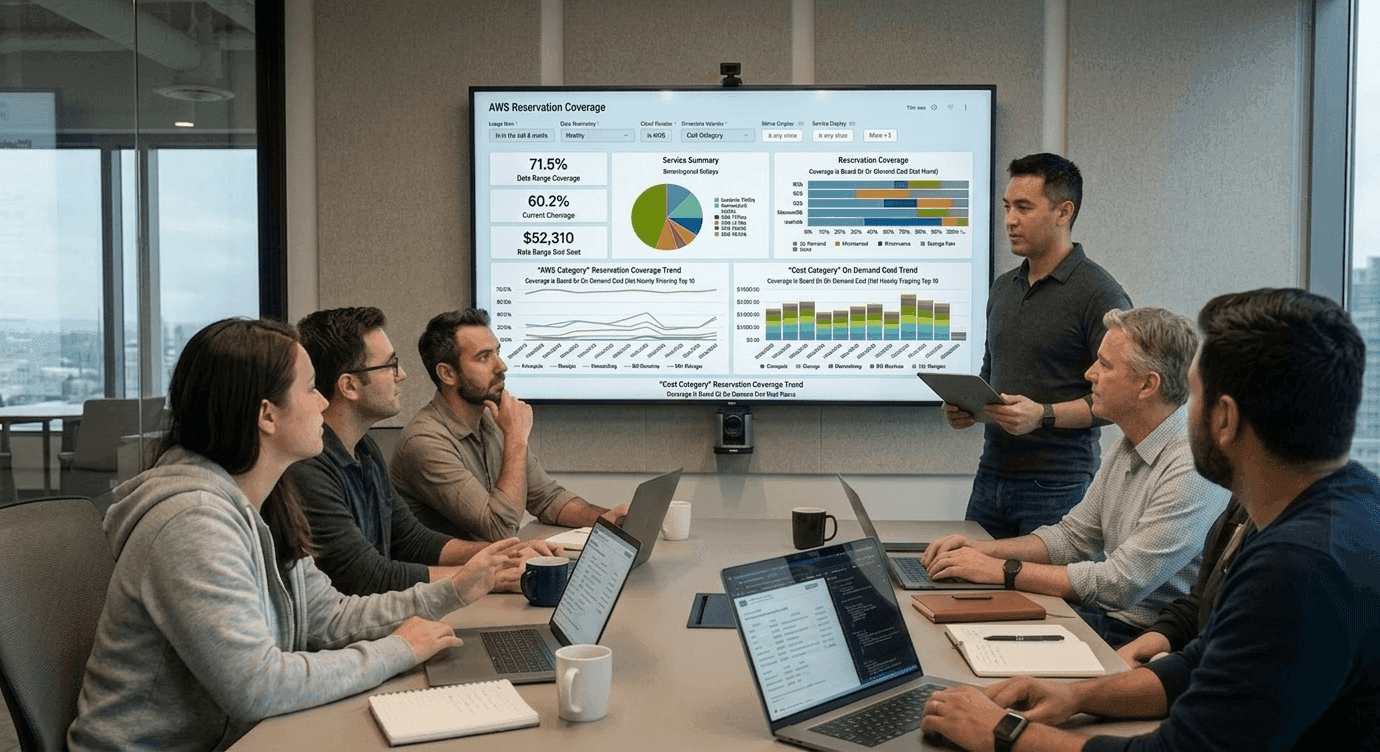
A financial services company that adopted a hybrid commitment strategy - Reserved Instances for databases, Savings Plans for general compute, and Spot for batch jobs - reduced overall AWS spend by 43% while maintaining the flexibility they needed.
The key insight? Not all workloads deserve on-demand pricing, and not all workloads are safe for Spot. Map your workloads to the right model, and you're already winning.
You've probably heard the term thrown around. But FinOps isn't just a buzzword - it's the cultural and operational framework that brings engineering, finance, and business together to manage cloud spend as a shared responsibility.
Most organizations are stuck in the Crawl phase. Organizations with dedicated FinOps teams achieve 2.5x better cost efficiency than those treating cloud spending as an afterthought.
Embedding FinOps into your DevOps workflow looks like this - a CI/CD pipeline step that makes every engineer see the cost impact of their changes before they ship them. That's "shift-left" cost management in action.
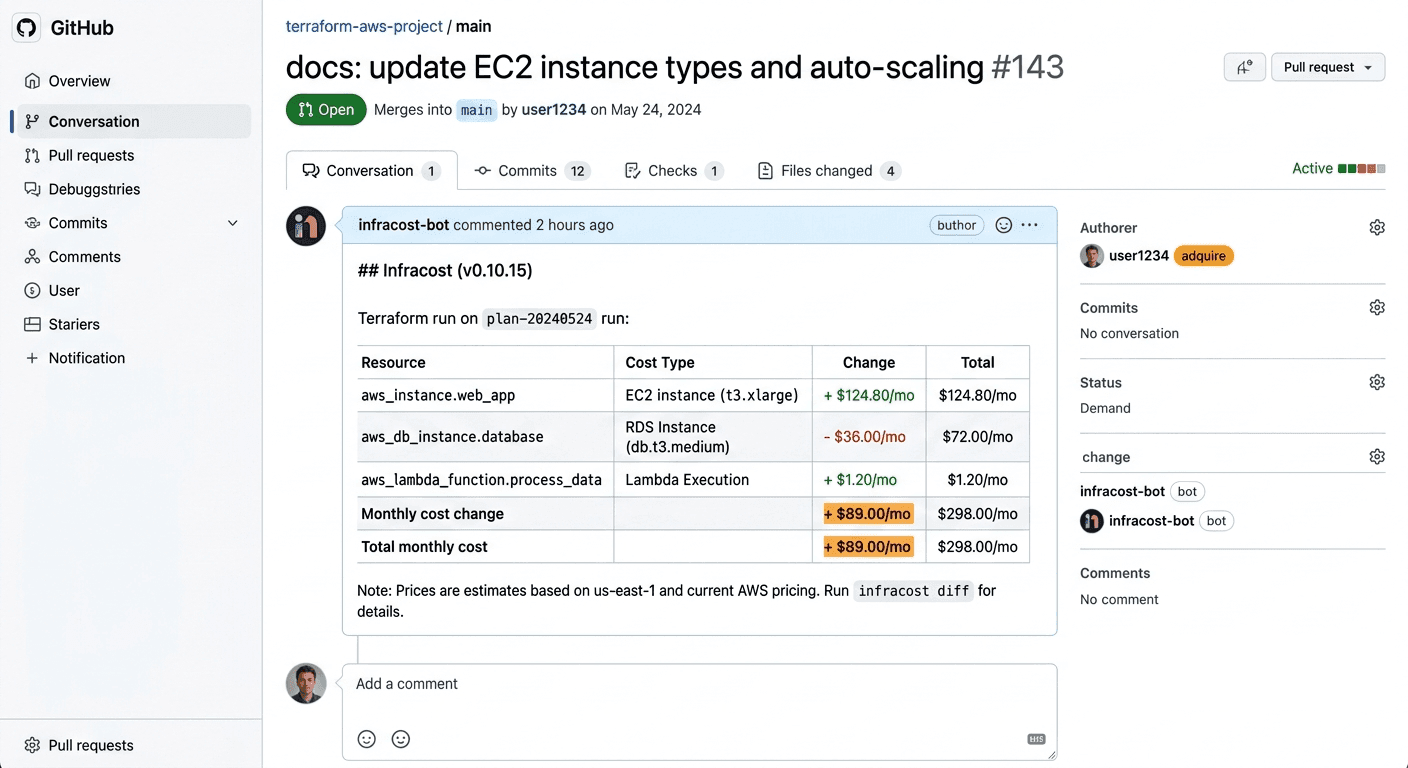
# Example: Using Infracost in a GitHub Actions CI/CD pipeline
# Estimates cost BEFORE infra changes are merged
name: Infracost Cost Estimate
on: [pull_request]
jobs:
  infracost:
    runs-on: ubuntu-latest
    steps:
      - uses: actions/checkout@v3
      - name: Setup Infracost
        uses: infracost/actions/setup@v2
        with:
          api-key: $INFRACOST_API_KEY
      - name: Generate Infracost diff
        run: infracost diff --path=./terraform
      - name: Post Infracost comment
        uses: infracost/actions/comment@v2
        with:
          path: /tmp/infracost.json
behavior: updateThe most expensive thing in cloud cost management is manual processes. Manual reviews are slow, inconsistent, and frankly - nobody does them when things get busy.
One enterprise company saved $460,000 annually just by automating the shutdown of 80% of their non-production RDS instances during off-hours. They also migrated to AWS Graviton processors for another $600,000 in savings.
Automation isn't about replacing judgment - it's about making sure good judgment is consistently enforced at scale.
Serverless cost optimization is often misunderstood. Yes, you pay only for what you use - but Lambda, Azure Functions, and GCP Cloud Run can get very expensive at scale if you haven't tuned memory allocation, concurrency limits, and timeout settings.
# AWS Lambda: Right-sizing memory for cost efficiency
# Use AWS Lambda Power Tuning to find the sweet spot
import boto3
lambda_client = boto3.client('lambda')
# Increase memory from 128MB to 512MB
# Result: 4x memory cost, but 8x faster execution
# Net cost: 50% reduction due to shorter duration billing
response = lambda_client.update_function_configuration(
    FunctionName='my-data-processor',
    MemorySize=512  # Was 128MB - tuned via Power Tuning tool
)
For multi-cloud environments, the challenge is unified visibility. Tools like Finout, Holori, and Cloudchipr aggregate billing across AWS, Azure, GCP, and Kubernetes into one view - making multi-cloud cost management actually manageable.
Before we wrap, here's your actionable checklist. Pin this. Share it with your team.
Here's how I think about it: every dollar you waste on idle cloud resources is a dollar not going into product, people, or growth.
The companies winning in 2026 aren't the ones with the biggest cloud budgets - they're the ones spending those budgets with the most intentionality. An e-commerce platform achieved 47% annual savings ($564,000) through systematic right-sizing, spot migration, Savings Plans, and environment scheduling - in just four months. That's a real team, making real engineering decisions, and reaping real financial results.
The playbook is here. The tools exist. The only thing missing is the decision to start.
Start with visibility. Move to accountability. Automate the discipline. Build the culture.
Your cloud bill - and your CFO - will thank you.
What is the first step in cloud cost optimization?
Start with visibility. Enforce tagging across all resources, set up a cost dashboard, and identify your top 5 cost drivers before making any changes.
Do I need a third-party tool if I already use AWS Cost Explorer?
AWS Cost Explorer is great for AWS-only environments, but third-party platforms like CloudZero, Vantage, or Cloudchipr offer multi-cloud support, deeper automation, and FinOps-specific workflows that native tools don't provide.
How quickly can I see savings from cloud cost optimization?
Most organizations see measurable savings within 4–8 weeks of implementing right-sizing and reserved instance strategies. Full FinOps maturity typically takes 3–6 months.
Is FinOps only for large enterprises?
No - FinOps principles scale to any team size. Even a 10-person startup benefits from tagging, budget alerts, and choosing the right instance types.
Ready to build your cloud cost optimization playbook? Start with a free audit of your top 20 cost-driving services - you'll likely find 20–30% in savings within the first week of looking.
Stop bleeding money on AWS. This complete 2026 guide covers right-sizing, Spot Instances, FinOps, Kubernetes cost optimization, and the tools CTOs actually use.

Karpenter vs Cluster Autoscaler, VPA rightsizing, GKE Autopilot vs Standard, Spot node pools, OpenCost vs Kubecost - everything you need to cut your Kubernetes bill by 30-70%.

Lambda + EventBridge, AWS Instance Scheduler v3, Terraform modules, EKS scale-to-zero, and handling RDS and ElastiCache - with real cost savings numbers from production implementations.

Get a free 30-minute cloud cost consultation!
Warsaw, Poland





© Copyright 2026 TotalOps
Privacy Policy